Start with what they already use#
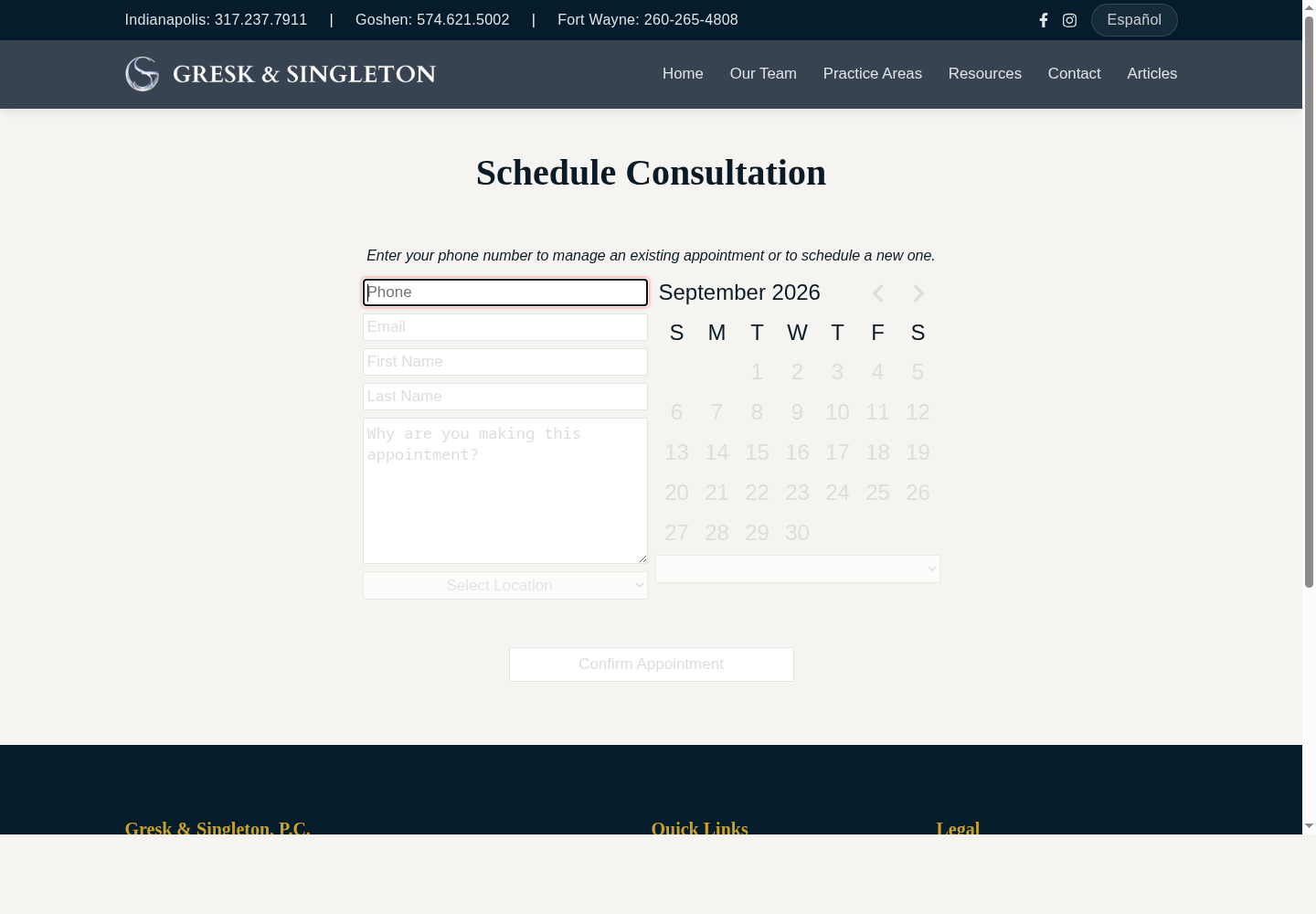
The firm had been running on DaySmart for scheduling for years. The staff knew it, the calendars were in it, and the team was visibly stressed by the idea of yet another system. They had been through this before: new software arrives, everyone has to learn it, and six months later it is abandoned. So the first design decision was that my scheduling page would not replace DaySmart. It pulls availability from the same calendars the staff has used for years, and bookings land right back in it. Clients see open slots on the firm's website; staff sees the appointment appear in the calendar they already had open. Nobody's job changed on day one, and that was the entire point. When I demoed it, they were relieved that it didn't mean extra work.
Paperless check-in, at the client's pace#
Every client gets a check-in code with their appointment. They can open a link on their phone, enter the code, and fill out their intake form before they ever leave home. Staff can also call the day before and ask them to pre-check-in. In the waiting room, a tablet on the counter does the same job, replacing the paper forms the staff used to have to transcribe into a PDF for the attorneys by hand. If a client isn't comfortable with the tablet, a staff member can fill out the form for them - the staff fully expected most clients would want that. Two weeks later, everyone was using the tablets.
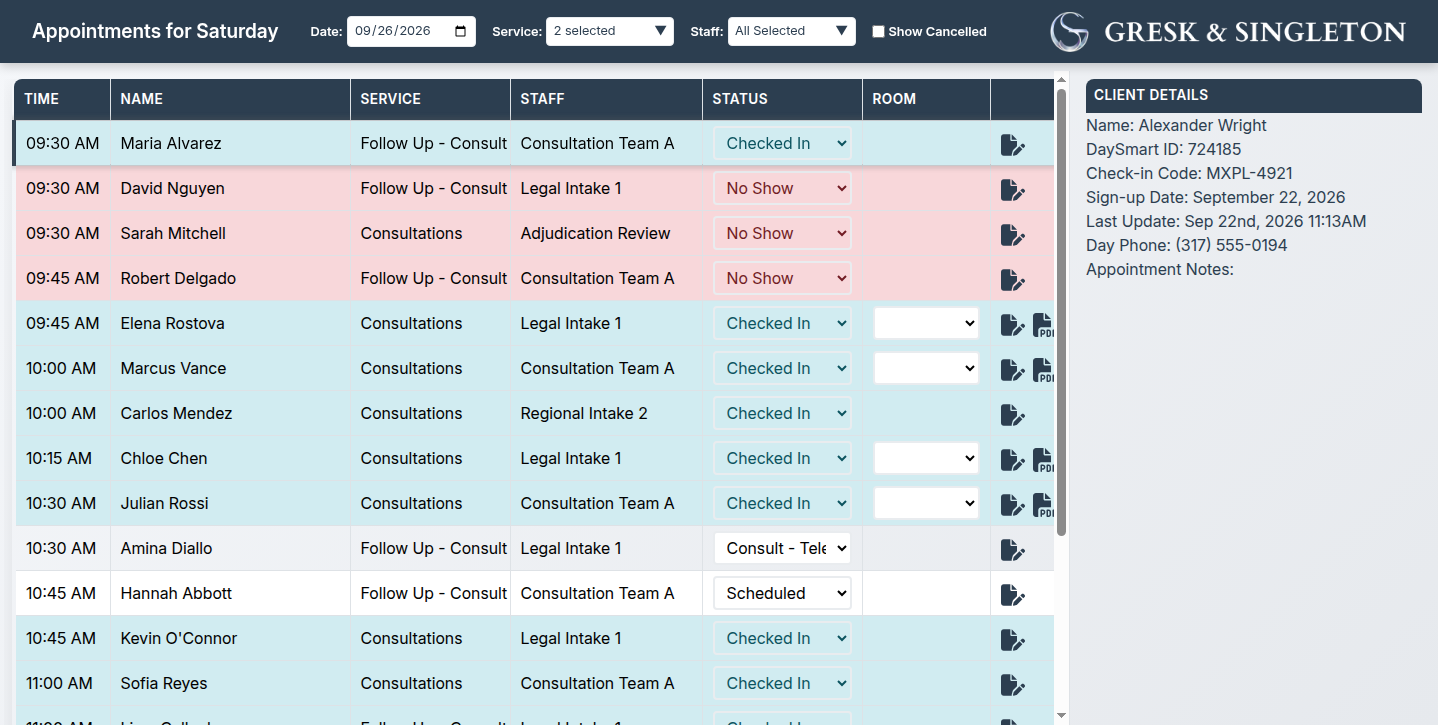
The moment a form is submitted, every open staff view updates live over a websocket: the client's status flips to checked-in in green, and a PDF icon appears next to their name. Click it, and the intake form the staff used to fill out by hand is generated and ready to print. Staff can review and edit submissions, and attach notes for the attorneys. The check-in screen replaced the paper process entirely. It's much simpler than what they had, and the steps they used to do by hand now happen automatically, so the front desk can focus on clients instead of the tech.
Under the hood, the service is a Python/SQLite app with a strict rule: history is never rewritten. Every action - created, checked in, room assigned, attorney notified, checked out - is an event appended to a log, and a projection serves fast current-state reads. Corrections append new events instead of editing old ones, accidental deletions are reversible, and the full sequence can always be reconstructed. That buys the front desk something more valuable than any feature: they can never permanently break anything during the morning rush.
After the appointment: sales processing and reconnect#
Once intake data exists, a back-office interface handles sale processing for consults that converted. Name, phone, and address copy to the clipboard with one click, so the sales process flows straight into the QuickBooks setup the firm already used and did not want touched. The quiet payoff: because conversions are recorded, the system knows which clients came back and what kind of sale it was. If a client you'd expect to return hasn't booked again in a reasonable time, that's now visible - which is what the reconnect system is for.
Reconnect is a small CRM that pulls from intake, DaySmart, and QuickBooks and matches records across them with fuzzy matching - a client who books again with a new phone number, a different email, or a misspelled name is still recognized as the same person, without false merges. Staff get a queue with templates and tooling for customized emails, texts, and call reminders, timed to reach out before a case goes cold and the client drifts away. Everything sent is drafted from actual records on file - in a legal context, a message that invents personal details isn't just embarrassing, it's professionally unacceptable, so the system only ever works from verified facts.
Key takeaways#
Domain modeling outside ecommerce; desktop-plus-server integration; event-sourced, auditable workflows; human-centered operational UX; safe, evidence-bounded automation in a sensitive professional environment; and maintaining high reliability in small production deployments.