The situation#
I pretty much always code directly on the server, and I switch physical devices frequently throughout the day - moving from a desktop workstation to a laptop, a tablet, or a phone on the warehouse floor. With conventional terminal workflows, you end up with active sessions on the desktop that you want to pick up immediately on another device.
Standard multiplexers like tmux or screen solve persistence, but they come with real drawbacks: you lose your browser or native terminal scroll buffer, copy/paste handling becomes finicky, and managing multiple tabs on mobile is clumsy at best. I didn't want to choose between a comfortable, responsive terminal emulator and portable sessions. After trying various tools and hacks, none of them felt truly elegant - so I decided to build the tool I actually wanted to use every day.
Ergonomics you miss on any other terminal#
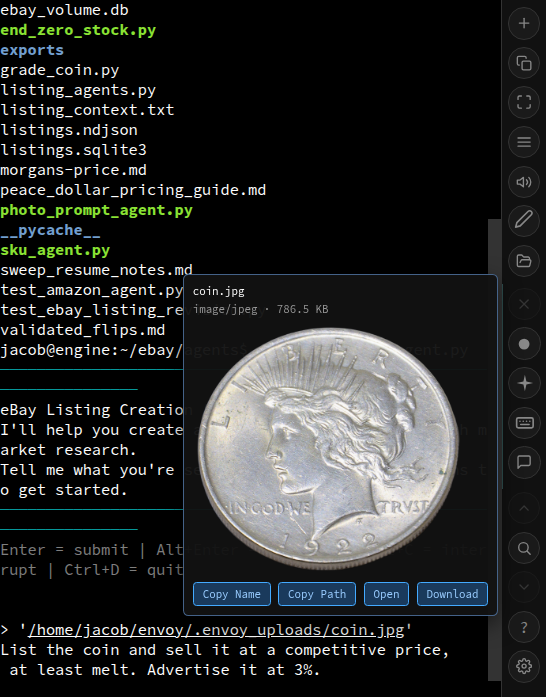
Once the solid foundation was running - a clean Python server managing PTY lifecycles connected to an xterm.js frontend over WebSockets - it became natural to add conveniences tailored to how I work:
- Remote path and image previews: Hover or tap over any remote filesystem path in the terminal output to inspect it. Text files and source code open in an instant preview; paths can be copied or downloaded locally with one tap; and image files show live thumbnail previews - a huge daily convenience when inspecting product assets and photo pipelines.
- Drag-to-upload file insertion: Drag a file from your device onto the terminal window, and Envoy uploads it to the host in the background, pasting the resolved server path directly at your cursor. When working with agents or shell scripts, this completely eliminates separate SCP or staging steps.
- Native-feeling mobile PWA: Installed to a phone's home screen, touch gestures allow swiping to summon or dismiss the command toolbar instantly. That gives you full-screen terminal real estate on mobile without sacrificing quick access to keys like Esc, Ctrl, Tab, or custom agent triggers.
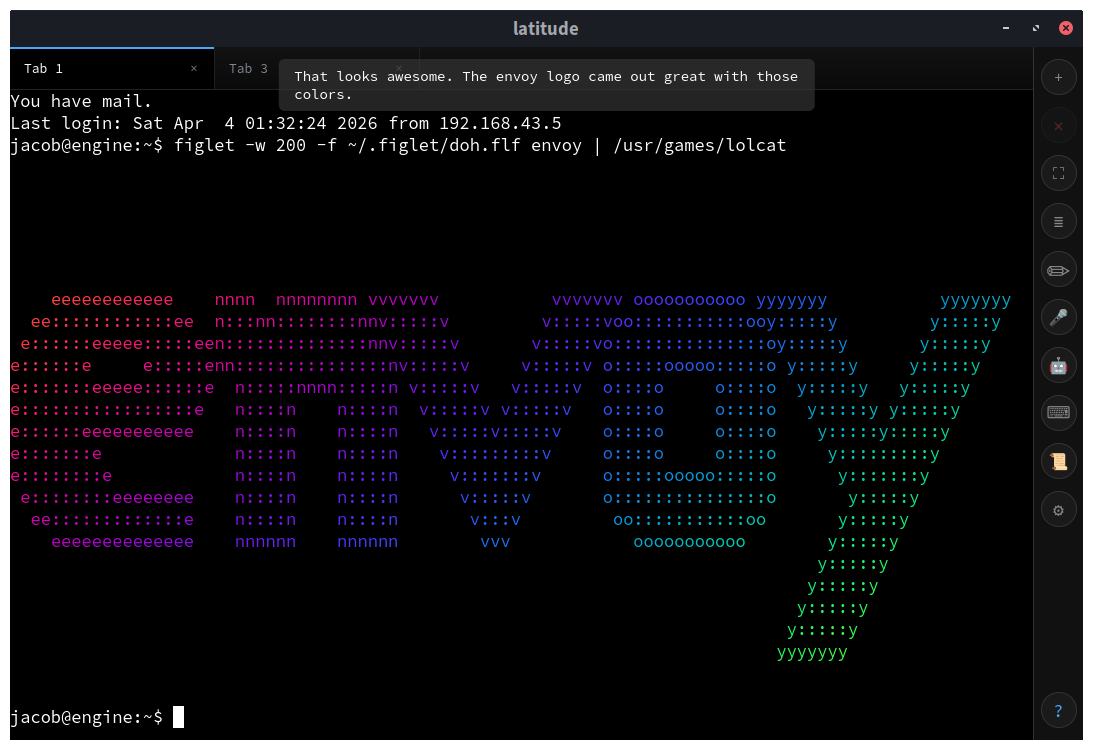
Voice and agent ergonomics#
Because I spend a large portion of my development time working alongside autonomous coding agents, I integrated ergonomics directly into the terminal rather than treating agents as a separate browser tab:
Hands-free productivity: The voice features originally started so I could take coding sessions on the road, but I quickly found myself using voice input for drafting specs, answering communications, and planning. During hands-on hardware work - like soldering or bench testing - transcription allows me to continue driving development tasks without stopping what I'm physically doing.
Voice TLDRs: While Envoy supports full voice-driven command execution, I prefer explicit control. Most often, I use voice output to listen to a concise audio summary of lengthy terminal outputs or test runs while reviewing other screens.
CLI tools as instant web apps: Envoy includes a mode that attaches a PTY session directly to a specific script or CLI process rather than a generic bash shell. This removes most of the cost of internal tools: instead of writing and maintaining custom web frontends for routine maintenance tasks, I write a standard interactive Python CLI and expose it securely via an Envoy URL for team members to run in their browser.
Production hygiene and staying power#
A tool you live in every day has to be disciplined about system resources. Envoy enforces per-session memory bounds so runaway compilation or agent loops cannot starve the host server. When a session terminates, Envoy automatically cleans up any orphaned temporary files left behind in /tmp.
Like Code Agent, Envoy is not an experiment or a demo - it is the environment I use to build everything else, including this website.